Securing Life.
support@rightaccess.com
+44 333 303 4321
About
RightAccess® provides secure access solutions as a channel partner for Abloy UK, the UK's leading expert on high quality door locking and functionality, and part of the ASSA ABLOY Group, the global leader in access solutions.
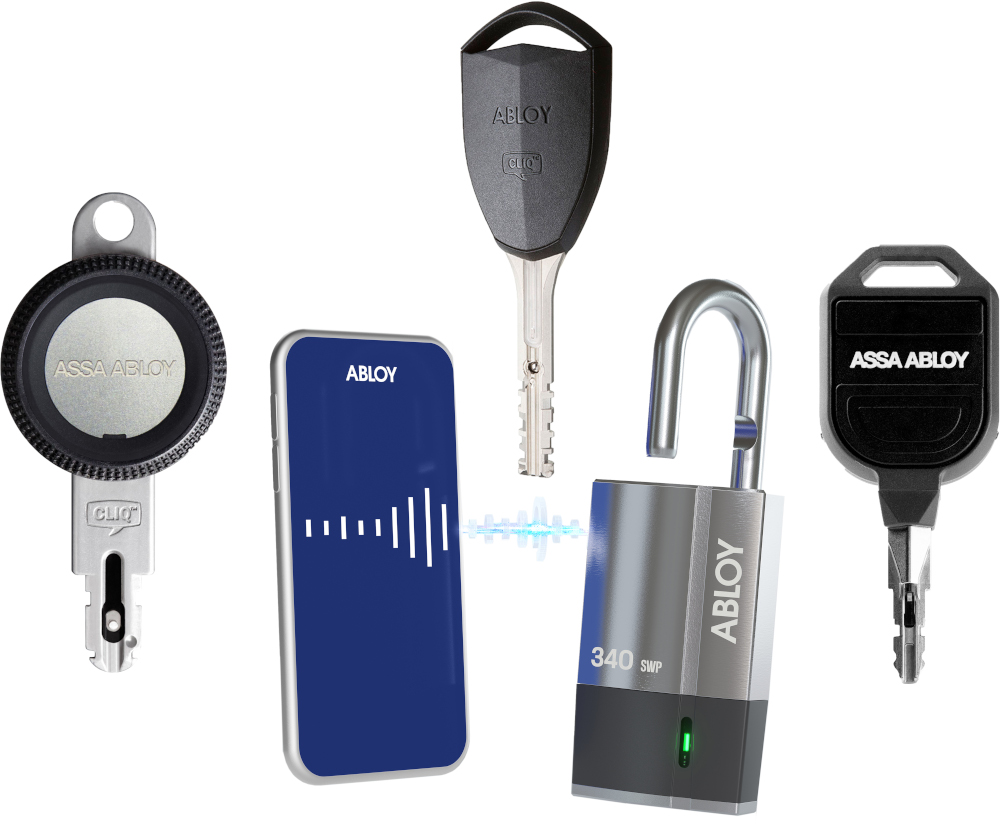
CLIQ® Web Manager
CLIQ Web Manager is accessible via a web browser from anywhere in the world. Bulk updates and other advanced features makes changing the access rights quick and simple. The key holders can update their keys via network connected CLIQ Remote Programming devices placed on a wall or paired with a mobile phone.
All communication with CLIQ Web Manager is encrypted and a personal PIN code protected key, called C-key, as well as a certificate in the web browser is required to login.
CLIQ Web Manager with CLIQ Remote enables many of the tasks involved in the management of the CLIQ system to be done automatically. Access right changes, audit trails collection and key validity extensions are examples of such tasks. This often eliminates the need to change the access rights in the cylinders, instead the access rights changes are done in the key when the key holders update their keys.
ACCESS RIGHTS for the right keys, to the right people, at the right times.
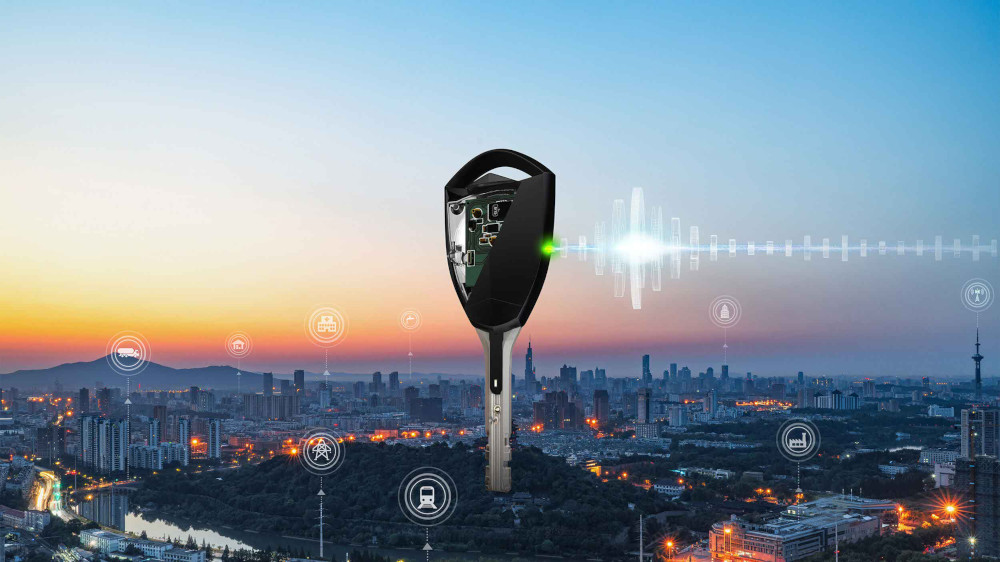
Traka21
As an Abloy UK partner, RightAccess is also a reseller for Traka21.
Traka21 is an intelligent plug and play key management solution for small and medium-sized organisations.
RIGHT ACCESS to the right keys, by the right people, at the right times.
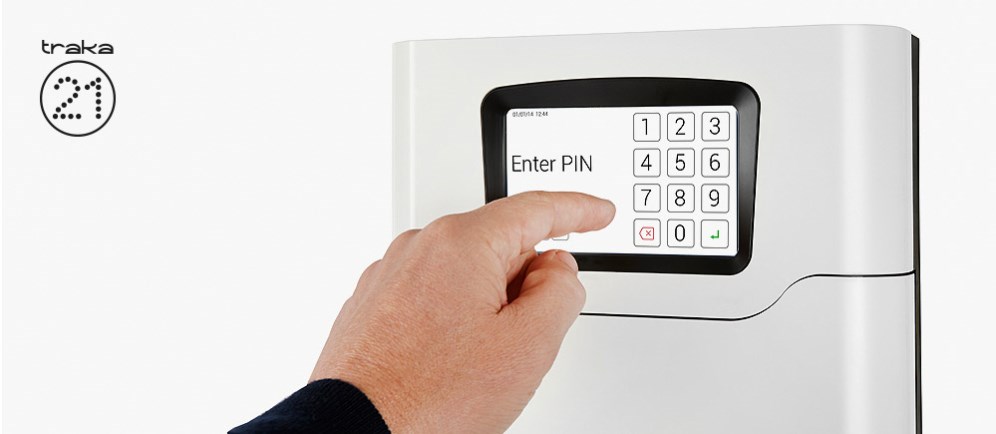
Traka21 - Mansfield Medical Centre
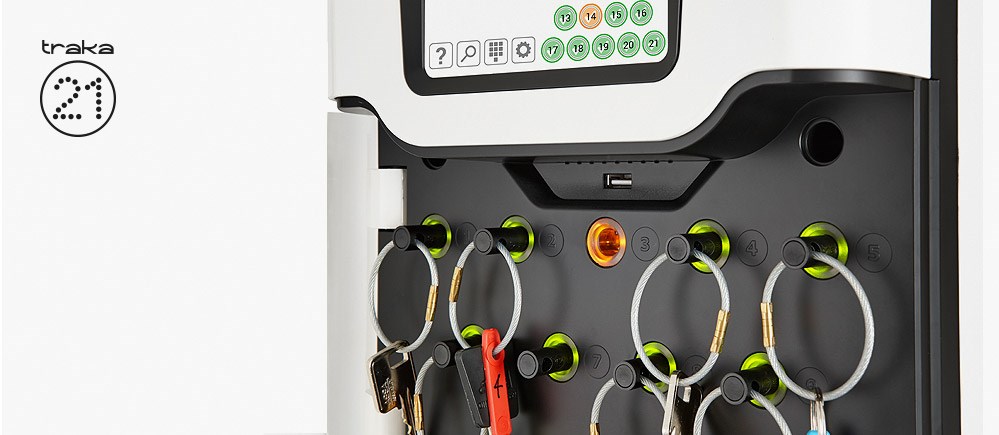
Traka21 - Royal Aberdeen Children's Hospital
Traka21 Operation
- Stand-alone Plug & Play solution with advanced RFID technology
- Touchscreen interface
- PIN access to designated keys or keysets which are individually locked in place
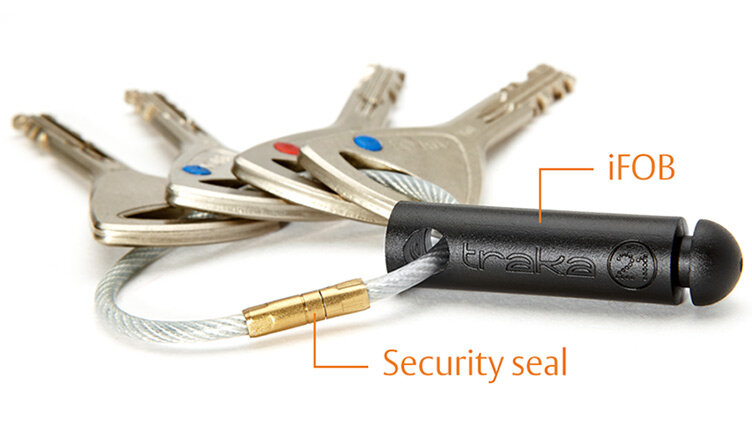
- Keys are securely attached using special security seals
- Simple to configure through setup wizard
- No requirement for network connection or PC
- Concealed robust fixing points allow secure wall fixing
- Mains operated with optional battery backup
Traka21 Features
- User, key and access rights administration
- Multilingual functionality *
- Screen based audit trail and reporting capability or export via USB port
- 21 robust, long-life iFobs with security seals
- 21 locking receptors with LEDs
- Robust and compact aluminium & ABS housing with no exposed hinges or obvious access points
- Manual override and door release functions in case of emergency
- Audible alarms
* English, Spanish, French, Portguese, German, Russian, Italian, Swedish, Norwegian, Hebrew, Czech, Danish, Finnish, Polish, Arabic, Dutch, Japanese
Traka21 iFob
Once attached to an iFob with a robust security seal, individual keys or keysets are assigned a specific receptor within the Traka cabinet and locked in place until released by an authorized user.
Traka21 Security Seal
The secure one-time security seal is cost-effective and simple to apply.
Traka21 Installation Video
This Traka21 installation and operational video gives a full step-by-step guide to setting up a unit. The easy to use, plug and play key management cabinet enables you to secure and monitor your keys, to ensure full accountability at all times. Find out how to start your setup here today.
Traka21 Technical Details
MODEL
KC-1-0156
SYSTEM SIZE
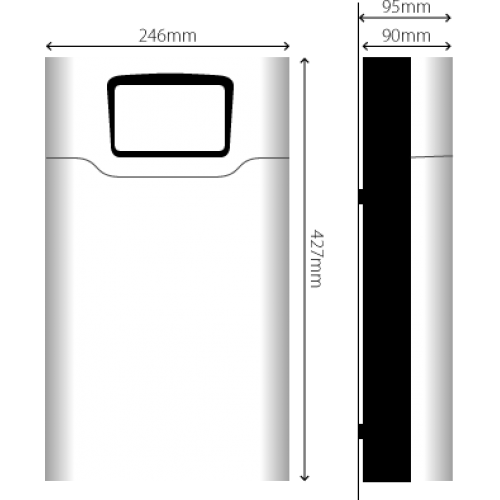
• Height – 427.00mm
• Width – 246.28mm
• Depth – 90.40mm
SYSTEM WEIGHT
Traka21 with iFobs (without keys or optional battery) is 3.94Kg. Optional battery is an additional 0.63 Kg.
OPERATING TEMPERATURE RANGE & ALTITUDE
Operating temperature range: 0°C to +40°C (32°F to 104°C) at 95% relative humidity non-condensing
Maximum operating altitude: 2,000m
POWER DETAILS
Traka21 uses a 15 ~ 24W AC-DC Single Output power supply.
• Input – 100-240VAC, 50-60Hz, 0.7A
• Output – 15V 1.6A
• Safety Standards – UL60950-1, CSA C22.2, TUV EN60950 -1, CCC GB4943 approved
BACKUP BATTERY
The Traka21 is supplied with an optional backup battery with systems inside the UK. A system outside the UK will need to source a battery using the information in the Battery Specification below.
BATTERY SPECIFICATION
The backup battery is kept charged by the system when running from the mains so that it is ready to be used should there be a power failure.
The service life of the battery is typically 5 years. Should the battery require replacing then it is important that it is replaced with the correct type! The following battery is recommended:
• YUASA NP1-.2-12 12V, 1.2AH Valve Regulated Lead Acid Battery.
Caution, risk of explosion if battery is replaced by an incorrect type.
Dispose of used batteries according to the instructions.
Traka21 Downloads
User guide
In box instructions
Instructions in Box GB-ES-GE-FR-IT-AR.pdf
Drilling template
Software
Traka21_v01.07.00_(27-07-21).zip
Traka21 Registration
Traka21 Video Guides
The video guides below have been developed to help with common Traka21 operations.
Traka21 Adding & Removing Keys
Traka21 Removing & Returning Keys
Traka21 iFobs
Traka21 Swap Key Positions
Traka21 Users
Traka21 Permissions
Traka21 Change PIN
Traka21 Help Menu
Traka21 Reports
Traka21 Import & Export
Traka21 System Settings
Traka21 Replacing iFobs
Traka21 Install Backup Battery
Traka21 Remove Keys in Power Failure
Traka21 Adjust Door Striker
Traka21 Update Software
Traka21 Override Key
Traka21 Common Fault Resolutions
Below is an easy to follow list of workarounds for common issues you may encounter.
Unit will not power up
Possible Cause: Faulty power cable, flat back up battery
Workaround: Ensure that the power supply is correctly connected to the unit and that the adaptor plug is also correctly connected. If operating on the optional back up battery, the battery may have lost its charge. Ensure that a charged battery is inserted into the unit and the power cables are connected correctly.
Door will not open
Possible Cause: Failure of door release mechanism or spring
Possible Cause: Door striker out of position
Workaround: Ensure that the unit is powered up correctly, as the door will not open via pin access when the unit is powered down. Using the master key, attempt to open the unit via the door mechanism override on the base of the unit. If door continues to fail to open, and there are no clear blockages, then there may be a failure with the spring or solenoid, thus requiring the unit to be returned.
Workaround: Using a hex key, loosen the bolts within the plastic housing and adjust the position of the striker to the correct position to avoid catching the main body of the cabinet. *Use a visual test before fully closing the door, as adjusting the striker too much may result in the unit continuing to fail to open.
Screen blank
Possible Cause: Broken screen, unit failed to power up
Workaround: Attempt to enter your pin where the pin number keys on the screen would be. If the unit is producing the key sounds, then the screen may be damaged, requiring the unit to be returned. If there is no sound, ensure that the power supply (mains or back-up) is correctly connected to the unit and that the adaptor plug is also correctly connected.
Unit frozen
Possible Cause: Software glitch
Workaround: Power down the unit and attempt to power back up. Glitches may reset upon system power up. Ensure that the unit is running on the most recent version of the software, which can be downloaded here. If glitch persists, then the unit must be returned.
iFob failure
Possible Cause: Faulty RFID tag within the fob or failure of the circuit board
Workaround: Place the iFob in question into another blank slot in the unit. If the fob isn’t recognized, then it may be a fault with the RFID chip within the fob, however, if it is recognized, then it could be fault on the circuit board. Attempt to place a working iFob within the slot in question to determine the final cause. If the iFob is not recognized, the unit will need to be returned.
Door won't close
Possible Cause: Override mechanism left in open position, key bunches blocking door, failure of locking mechanism
Workaround: Ensure that the door override mechanism is in the closed position, and that none of the key bunches within the unit or any exterior item is blocking the door from closing fully.
USB not recognised
Possible Cause: USB drives not recognised by system
Workaround: Several options available
- Memory stick should be FAT formatted for use in a Traka21
- Larger capacity memory sticks (>8GB) may take 10 seconds or more to appear
- Plug USB it into a desktop PC and see if the PC reports that the memory stick needs ‘Scanning and Fixing’ – it may have corrupt contents
- Format the memory stick in a Windows PC and retrying in the Traka21 (note that this is a more advanced fix requiring experience of formatting a disk and erasing its contents)
- If the memory stick contains a large number of files and folders, clear the memory stick and using it in the Traka21
- Although a standard IT response, turn the unit off and back on again. If the USB driver has ‘hung’, then this may restart it and allow communication with the memory stick
- Another memory stick, preferably a different type could be tried in the unit
Unable to delete Admin User
Scenario: When attempting to delete one of the admin users, an error message appears stating that all other non-admin users need to be deleted first.
Workaround: If any of the admin user accounts are edited through the user interface, e.g. contact number is added, rather than the Export & Import feature, then the active date is then populated, allowing for the admin users to be removed.
Traka21 is offline
Scenario: Your unit displays a message saying that your Traka21 is offline. Only administrators can get keys.
Workaround: If the battery on the device is critical, then it will not allow non-admin users to login. Ensure that your unit is connected to a mains power supply to recharge the back up battery and allow non-admin users to access the cabinet.
Non Traka21 iFob placed in the cabinet
Possible Cause: Non Traka21 iFob placed into unit and cannot be removed.
Workaround: The swap key positions feature is very beneficial if you wish to reorganise the keys in the system. You can also use this feature to remove a non Traka21 iFob from the cabinet if it has been placed there in error.
- Select the Swap Key Positions button from the key wizard menu. The swap key overview will then appear giving you a description of how the feature works. Read this and click the forward arrow.
- Select the position of the non Traka21 iFob. The iFob will then release to you, removing it from the system.
- Select the Exit button to return to the admin menu
Registered office
RightAccess Ltd
20-22 Wenlock Road
London
N1 7GU
United Kingdom
Registered in England and Wales.
Company number: 13542063
VAT number: GB 389 6159 35
RightAccess® is a registered trade mark in the UK.